

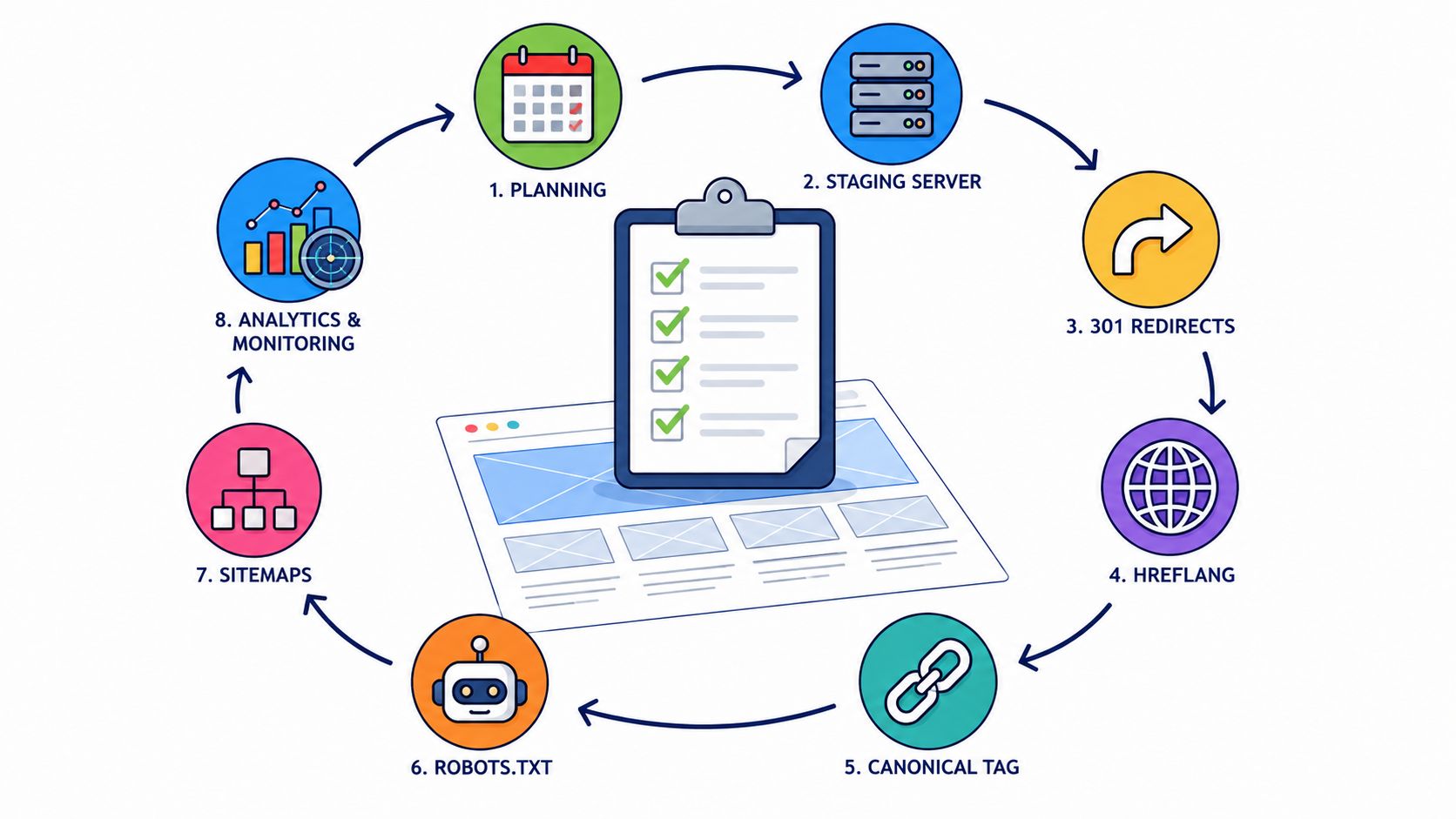
Most migration teams do not lose rankings because they missed a flashy SEO tactic. They lose them because they skipped the boring work, the baseline export, the redirect map, the internal link sweep, the sitemap refresh, the post-launch watchlist. Google's own migration guidance, echoed by Search Engine Land, says to keep at least 16 months of click and impression data before launch, plus the last month, so the old site can be measured against the new one with evidence rather than guesswork (Search Engine Land's migration checklist). That matters for UK SMEs because seasonality, local demand, and branded versus non-branded search rarely move in a straight line.
A disciplined seo migration checklist is the difference between a controlled relaunch and a long cleanup. The same logic shows up in UK-focused migration guides, which stress one-to-one redirects, crawl and index baselines, and a recovery window that can stretch for weeks or months when URL structures change (Servmask migration checklist). For agencies like Amax Marketing, the pattern is consistent across sectors, including self-storage. The sites that stay intact are the ones that treat migration as a data project, not just a design handover.
1. Conduct a Complete Pre-Migration SEO Audit
Google cannot compare the old site with the new one unless you give it a clean baseline first. Before a domain move, CMS change, or URL restructure, record rankings, organic traffic, backlinks, crawl behaviour, and conversions. Without that snapshot, post-launch losses turn into opinions instead of fixes.
For SME migrations, especially in sectors like self-storage, I start with exports from Google Search Console, Google Analytics, and a crawler such as Screaming Frog, then line the datasets up page by page. That is how you spot the pages that matter, the pages that only look similar, and the pages that will cause the most noise if they change. Amax Marketing's migration work on sites such as Connect Vending and Aerospheres follows that pattern, because the pages that drive enquiries are rarely the pages teams remember first. Use the audit to separate money pages, location pages, and support content before anyone touches templates or redirects.
The audit should also capture the current technical state of the site, not just the performance numbers. Crawl errors, indexation problems, canonicals, duplicate paths, redirected chains, and thin pages all need to be logged before launch, because they will otherwise get blamed on the migration even if they were already there. For a practical migration workflow, Amax Marketing's technical SEO audit checklist should sit next to the export sheet, not in a separate folder nobody opens under deadline pressure.
What to record before the move
- Top organic landing pages: Prioritise pages that already bring in search demand, especially local pages and pages tied to enquiries or sales.
- Current rankings: Capture the keywords that matter most, then save the current positions for visual proof.
- Backlinks and referring URLs: Mark pages with the strongest link equity, because those pages need the most careful handling.
- Technical issues: Crawl errors, indexation problems, canonicals, duplicate paths, and redirect chains should be logged before launch.
- Estimated page value: If a page supports enquiries or sales, label it clearly so nobody treats it as low priority.
Practical rule: If a page brings traffic, links, or revenue, it is an asset that needs protecting.
A strong audit also shows where the migration carries trade-offs. A niche operator may decide to merge low-value content to simplify the site, but that choice should be made with eyes open, because a clean URL structure can still cost traffic if the wrong pages disappear. That is why the baseline needs to be detailed enough to support decisions after launch, not just a quick health check before the build starts.
2. Build a URL Mapping Strategy
A URL map is the point where a migration turns into execution. Every old URL needs a destination, or a clear decision to retire it, and the safest default is still a one-to-one match wherever possible. Search engines read URL changes as a sign that content may have moved or been removed, so the mapping needs to be explicit, not approximate.
For SME migrations, structure usually causes the most friction. A self-storage chain may be moving facility pages, service pages, and blog content at the same time. An ecommerce brand may be shifting from SKU-led URLs to category-led paths. A business like Aerospheres may be consolidating product categories without weakening the backlink profile that already supports those pages. In each case, the map should separate content types so the team can see what is being kept, merged, or retired.
A practical way to keep that work controlled is to build the map in layers. Start with the pages that already earn traffic, links, or enquiries, then separate blogs, products, locations, and support content so they can be reviewed without confusion. Spreadsheet formulas can speed up repetitive patterns, but every pattern still needs human review. If two old pages become one new page, record why that decision was made.
Teams often get burned by speed. A facility page that looks like a duplicate may still carry local search value, while a product page with a messy URL pattern may be the only route that preserves the backlinks already pointing to it. For that reason, the map is not just an implementation file, it is the record of what the site is choosing to keep intact.
Amax has handled multi-location self-storage migrations where duplicate location content had to be removed without losing the pages that drove enquiries. That work only holds together when stakeholders can test the spreadsheet before cutover and confirm every destination. The same discipline matters in ecommerce, where category hierarchy changes can cause indexing drift if old URLs are left without a clear target. For a practical step-by-step reference, the seamless website transition guide gives a useful checklist for keeping the handover organised.
Redirect maps should be signed off before cutover, not during it. That is the difference between a calm launch and a late-night scramble.
3. Implement Proper 301 Redirects at Scale
301 redirects are the handoff between the old site and the new one. They should be permanent redirects, with no 302s, no chains, and no shortcuts through a homepage that has nothing to do with the original page. UK migration checklists repeatedly flag URL changes as medium-to-high risk because recovery can take time, especially when domains change or structures are rewritten (Servmask migration checklist).
For SMEs, the temptation is to move fast and sort out the edge cases later. That usually creates the problem later. A redirect chain from old to intermediate to new wastes crawl budget, slows users down, and makes debugging harder. A direct redirect from the old URL to the new one preserves the clearest signal and reduces the chance of mistakes spreading through the rest of the site.
A simple redirect table is not enough on its own. Teams need to decide which pages deserve a one-to-one redirect, which old URLs should map to a close equivalent, and which pages should return a clean 404 or 410 because there is no relevant replacement. That decision matters on smaller sites as much as it does on larger ones, because a bad redirect can send both users and crawlers to the wrong section and dilute the value of the migration.
Amax's migration work on large self-storage sites has shown how easy it is for scale to hide one broken rule. A facility page such as /locations/manchester-self-storage/ might need to move to /self-storage/manchester/, while a product page in a different project could shift from /products/industrial-vending-machines/ to /solutions/vending/industrial/. That kind of change needs a direct rule, tested before launch, because one sloppy pattern can affect search results and user journeys across the whole site.
What good redirect execution looks like
- Server or CMS level implementation: Put the redirects where the site serves pages, not in a temporary patch.
- Small-batch testing first: Check a sample set before applying the full rule set.
- No chains or loops: Each old URL should point straight to its final destination.
- Legacy pages handled cleanly: If a page has no equivalent, do not force it into an unrelated page just to avoid a 404.
- Post-launch spot checks: Crawl sample URLs, then verify the response code and target page by hand.
The historical reason 301s matter is straightforward. Search engines read URL changes as a signal that something has moved, so migrations need to protect the transfer of authority, relevance, and crawlability from the start. That is the difference between preserving what already works and spending weeks repairing avoidable redirect mistakes after launch.
4. Update Internal Links and Anchor Text Optimisation
A migration can look clean on paper and still send users through the wrong parts of the site if internal links stay stale. Update navigation, contextual links, footer links, and hub pages before launch or as soon as the new site is live, so crawlers and visitors land on the current structure without unnecessary redirects in the middle.
On smaller SME sites, the problem is often easy to miss because the page count is lower and the templates look tidy. On deeper sites, especially self-storage, internal links often expose old routing habits, such as facility pages still being fed from city hubs that no longer match the new taxonomy. That keeps search engines reading the old architecture long after the migration has changed it.
Amax's work on self-storage sites has shown that location hubs need to point cleanly into the new hierarchy, not leave mixed signals behind. The same issue shows up on ecommerce or content-led sites, where related-post modules, category blocks, and footer paths can still point to retired URLs. In practice, the trade-off is speed versus control. A CMS-wide find-and-replace is fast, but if the old and new URL patterns are not fully mapped, it can create broken links across templates.
Start with the links that carry the most weight. Top navigation and footers affect the widest set of pages, so they should be fixed first. High-authority pages come next, because old pages with backlinks or strong internal equity should pass that value directly into the new targets. In-content links need careful anchor text work too. The goal is clarity, not forcing every anchor into a keyword shape.
For teams using Screaming Frog or another crawler, the first pass after launch usually shows the state of the site. Broken internal links, internal links that now redirect, and orphaned pages often appear together, especially on sites where multiple templates were updated at different times. A quick crawl report gives the team a practical fix list, and the same review helps catch mobile and desktop template differences before they spread through the site.
Anchor text should describe the destination in plain language. If a link points to a facility page, service page, or product category, the text should read naturally in the sentence and still tell the user where they are going. Amax's migrations for SMEs and niche operators have shown that this small detail matters more than exact-match repetition. Clear anchors help search engines understand context, and they help users move through the site without second-guessing the next click.
Want a free audit like this for your own site?
We'll show you exactly what's holding your rankings and conversions back. No sales pitch.
Get My Free AuditA site with a clean internal link profile is easier to maintain after launch. It also makes later audits faster, because the team is fixing the new structure instead of untangling old routes that should have been retired with the migration. For larger content libraries, that cleanup often decides whether the new site settles quickly or keeps dragging the old architecture with it.
5. Update XML Sitemaps and Robots.txt Files
A migration can look finished in analytics while crawlers are still working off the old map. XML sitemaps and robots.txt files are what tell search engines which URLs matter now, which paths are retired, and which areas should be crawled with less friction. For deeper sites, especially location-led or product-led ones, clean updates here help discovery move faster and keep crawl effort away from dead ends.
On one Amax migration for a self-storage operator, the first post-launch crawl still surfaced an old location sitemap in robots.txt, even though the pages it referenced had already been replaced. The result was predictable, search engines kept revisiting outdated URLs until the file was corrected and the new facility sitemap was submitted again. That kind of issue is common on SME sites where one part of the migration is updated in CMS, but the crawler instructions still point at the old structure.
Amax-style migrations often use location-based sitemap setups for self-storage clients, because each facility page can matter on its own and should be easy for crawlers to find. The same approach fits ecommerce categories and image-heavy sites, where separate sitemap types help search engines understand the new hierarchy faster. For teams that generate or validate large URL sets programmatically, a practical external reference for structured sitemap handling is sitemap api.
Keep the crawler instructions clean
- Regenerate the XML sitemap: Make sure it only lists live new URLs.
- Submit it in Search Console and Bing Webmaster Tools: Don't wait for crawlers to discover it on their own.
- Update robots.txt carefully: Keep it lean, and remove temporary migration blocks once they are no longer needed.
- Check image or video sitemaps: If the site relies on visual assets, include those files too.
- Verify counts: The sitemap should broadly match the actual page set, not a stale archive of old pages.
The most common mistake is leaving the old sitemap linked in robots.txt after launch. That keeps crawlers focused on the wrong URL set and slows the move to the new structure. Another frequent problem is a robots.txt file that still carries staging rules, test paths, or migration blocks that no longer serve a purpose.
For SMEs, the trade-off is straightforward. A tidy sitemap hierarchy helps a small team stay organised, but a cluttered robots.txt file can hide problems behind false confidence. If the old site had separate sitemaps for categories, locations, or media, the new site should keep only what still exists and delete the rest. That keeps discovery centred on the content that matters now.
6. Notify Google and Bing of URL Changes via Search Console
A migration that looks fine in the browser can still sit in crawl queues for longer than a small team can afford. Search Console and Bing Webmaster Tools shorten that lag by giving both engines a clear signal after the redirects are already live. The order matters, because notification without working redirects only speeds up the wrong thing.
For SMEs, the value is practical rather than ceremonial. Amax has used this step on domain moves and on path-level restructures, including projects where the site kept the same brand but changed URL patterns underneath it. That matters for self-storage operators, niche manufacturers, and other smaller sites that need search engines to read the change as planned, not as a string of broken pages.
The cleanest approach is to make the search-engine handoff part of the launch checklist, not a separate admin task.
Verify ownership in both Google Search Console and Bing Webmaster Tools before launch. Then make sure the right change signal is used for the type of move you are handling, because a domain change and a path change are handled differently. Once the new URLs are live, submit the updated sitemap so crawlers can find the replacement pages quickly, and keep the redirects active for as long as recovery takes. Record the submission in the migration log so anyone on the team can trace what was sent, when it was sent, and which property was used.
That record becomes useful the moment something drifts. If rankings slip or crawl activity stalls, your team can check whether the notification was sent correctly before assuming the site itself is the problem. Amax's mastering SEO analytics guide is a useful companion here, because migration reporting only helps when the team has a clear view of Search Console, analytics, and crawl data together.
There is a real trade-off here. Change of Address features and similar submission tools can speed up processing, but only if the redirects, sitemap, and property setup are already clean. If the underlying setup is messy, the notification just sends search engines to inspect a broken migration faster. A practical extra check is to keep the guide to raising domain rating on hand if off-site authority work is part of the recovery plan, because some migrations need technical fixes and link equity support at the same time.
7. Monitor Rankings, Traffic, and Crawl Data Post-Migration
The first days after launch are for diagnosis, not reassurance. Rankings move, traffic often wobbles, and crawl data usually shows issues that never appeared in staging. As noted earlier, a clean migration record makes that noise easier to read, because you can compare post-launch changes against what was in place before the switch.
Amax's migration work on Aerospheres showed why that monitoring loop matters. A dip appeared on day two, and the team traced it to a duplicate content issue instead of assuming the migration had failed outright. That kind of triage only works when the dashboards are already set up and someone is reviewing them with enough context to spot what changed and where.
Practical rule: During the first phase after launch, treat every strange chart as a clue, not a verdict.
One extra layer helps SMEs and niche operators that cannot afford to guess. Pair Search Console, analytics, and a rank tracker with a simple migration log, then review them together so you can see whether a drop is sitewide, template-specific, or tied to a single facility page. Amax's mastering SEO analytics guide for using data to improve search results is useful here, because reporting only helps when the team can connect rankings, crawl data, and traffic in one place.
Watch the signals that matter
- Rankings by page and keyword: Check which sections recover quickly and which pages lag behind.
- Organic traffic by device: Mobile and desktop can behave differently after a migration.
- Branded versus non-branded demand: Brand traffic can hide losses in broader visibility.
- Crawl errors and indexing status: Fix clear problems quickly, before they spread through the site.
- Support tickets and sales feedback: Users often spot broken paths before dashboards do.
For teams in niche sectors like self-storage, that split matters. Facility pages, city pages, and broader brand pages do not always recover on the same timetable, so the report should show that difference instead of flattening everything into one average. A small operator watching a few high-value URLs needs a different level of clarity than a large site with thousands of pages, which is why practical dashboards beat vanity reports every time.
The trade-off is patience versus urgency. Some volatility is normal right after a migration, but waiting too long to inspect a specific drop is how a small issue becomes a structural one. If off-site authority work is part of the recovery plan, keep the guide to raising domain rating close by while you fix technical problems, because some migrations need both clean redirects and link equity support at the same time.
8. Update External Links and Notify Link Sources
A migration can leave the redirect layer in place and still lose value if important external links keep pointing at old URLs. A 301 preserves much of the technical handoff, but a direct update is cleaner for users and reduces the chance that partner sites, directories, and industry listings keep sending people through an extra hop. For SMEs and niche operators, that matters because a small set of relevant referring domains often carries a disproportionate share of trust and traffic.
In Amax Marketing's migration work, link updates have usually started with the sources that matter most to the business, not the largest list. That has included industry blogs, resource pages, directories, and complementary brands, as seen in migrations like Connect Vending and Aerospheres, where the priority was fixing the links that influenced visibility and enquiries. The practical lesson is simple, the first outreach round should go to the pages that send qualified traffic or hold the strongest authority.
Start with the links you control
Update the links you control before you spend time chasing third parties. Business profiles, local chambers, industry directories, social profiles, email signatures, and your own guest posts can usually be fixed quickly, and those changes remove obvious friction for users. If your site has moved, any owned property still pointing at the old URL is a preventable error.
From there, work through the links that are worth the outreach effort. High-value backlinks deserve the first contact, especially if they already send traffic or sit on relevant pages. A clear note should name the exact page they linked to, give them the new URL, and make the edit easy to copy and paste. That same mindset fits wider authority work too, which is why link building guidance is useful alongside migration outreach.
Keep a simple tracker while you do it. A spreadsheet with source, contact status, old URL, new URL, and outcome is enough for smaller teams, and it stops important links from slipping through when one person is handling the cleanup. For SMEs, the trade-off is clear, a 301 is usually enough to preserve function, but a direct update is better for the long term and reduces dependence on redirect chains.
The outreach itself should stay short and specific. Generic templates are easy to ignore, while a message that identifies the exact page and the replacement URL gives the site owner very little work to do. That approach gets better responses, and it helps turn a migration fix into a relationship you can use again later.
8-Point SEO Migration Checklist Comparison
| Item | Implementation complexity | Resource requirements | Expected outcomes | Ideal use cases | Key advantages |
|---|---|---|---|---|---|
| Conduct a Complete Pre-Migration SEO Audit | Moderate–High (data collection, analysis) | GSC, GA, Ahrefs/SEMrush, analyst time, spreadsheets | Baseline metrics; list of pages/technical issues to preserve/fix | Any migration; critical for large or legacy sites | Measurable baseline; identifies high-value content and issues |
| Create a Comprehensive URL Mapping Strategy | High (detailed, error-prone at scale) | Spreadsheets, Screaming Frog, SEO/dev coordination | Complete old→new URL map enabling accurate redirects | Large, multi-location, or e‑commerce sites with many pages | Ensures correct 301s; opportunity to improve URL structure |
| Implement Proper 301 Redirects at Scale | High (server/CMS changes, testing) | Dev/server access, redirect tools, monitoring tools | Preserved rankings/link equity; automatic user forwarding | Domain or path migrations; sites with existing backlinks | Transfers link equity; clear signal to search engines |
| Update Internal Links and Anchor Text Optimisation | High (site-wide content updates) | Content team, CMS find/replace, link audit tools | Improved crawlability; internal equity distribution; fewer redirects | Content-heavy sites, taxonomic changes, e‑commerce catalogs | Better UX; faster crawl; targeted anchor text benefits |
| Update XML Sitemaps and Robots.txt Files | Low–Moderate (regeneration & submission) | CMS sitemap tools, Screaming Frog, Search Console access | Faster indexation; guided crawl prioritisation; discovery of pages | Large/deep sites; sites with media (images/videos) | Speeds indexation; directs crawl budget; easy to monitor |
| Notify Google and Bing of URL Changes via Search Console | Low (verification + notification) | Verified GSC/Bing properties, admin access | Accelerated re-indexing for domain/path moves; reduced volatility | Domain-level or subdirectory migrations (not individual pages) | Official notification speeds processing and preserves history |
| Monitor Rankings, Traffic, and Crawl Data Post-Migration | Moderate (daily intensive then tapered) | GA4, GSC, rank trackers, dashboard tools, analyst time | Early detection of issues; validation of migration success | All migrations, especially first 2–4 weeks after launch | Rapid problem resolution; data-driven reporting for stakeholders |
| Update External Links and Notify Link Sources | Moderate–High (outreach effort) | Ahrefs/SEMrush, contact tools, outreach templates, tracking sheet | Some high-value backlinks updated; potential authority gains | Sites with high-authority backlinks or referral traffic | Strengthens direct links; builds relationships; can produce additional links |
Your Migration Safety Net Rollback, Reporting, and Next Steps
A migration always carries some volatility. That isn't a sign that the checklist failed, it's the nature of moving a live site that already has search history, backlinks, and users depending on it. The point of the eight steps above is not to promise zero disruption, it's to cut risk enough that any problems can be identified, isolated, and fixed before they become a long-term drop.
The safety net starts with the old site. Keep it live on a subdomain for at least 30 days so the team has a rollback option if something critical breaks, especially on the first pages that traffic, leads, or bookings depend on. That rollback window should be written into the migration plan, alongside the decision criteria for when to use it. If the business needs to revert, the team should already know who can authorise the call and who can execute it.
Reporting matters just as much as rollback. Schedule a 30/60/90-day review so the migration gets checked against the original baseline after the first burst of volatility has settled. That review should cover rankings, organic traffic, crawl data, redirect performance, and any support issues tied to old URLs or broken journeys. It's also the right moment to document what worked, what didn't, and which shortcuts should never be repeated on the next move.
For SMEs and niche operators, especially self-storage brands, the best migrations are rarely the flashiest ones. They're the ones where the audit was complete, the URL map was signed off, the redirects were exact, and the launch was followed by disciplined monitoring rather than hope. That's the difference between preserving hard-won organic visibility and spending months trying to win back what was already there.
Amax Marketing offers a complimentary migration audit for businesses that want to pressure-test their checklist before going live. For self-storage operators, ecommerce brands, and other SMEs that can't afford avoidable search loss, that's the fastest way to spot weak points before they turn into real traffic problems. Visit Amax Marketing to book the audit and get a practical review of the migration plan before the new site goes live.