
To truly get a handle on your bounce rate, you need to focus on three things: how well your website actually works (technical performance), how clear your content is, and what the overall experience feels like for a visitor. It boils down to making your pages load faster, ensuring your content gives people exactly what they came for, and then showing them a clear, easy path to what comes next.
Nail these elements, and you’ll start turning those quick exits into genuinely valuable visits.
Understanding Bounce Rate and Why It Matters
Let's get one thing straight first. The old "bounce rate" metric has changed with Google Analytics 4 (GA4). It's now the flip side of the "engagement rate." A session is now counted as a bounce if it lasts less than 10 seconds, doesn't lead to a conversion, and the user doesn't click on anything else.
For any UK business, this isn't just another number to track; it's a massive red flag. A high bounce rate is a direct signal that there’s a serious disconnect. The people you’re working so hard to attract—through paid ads, organic search, or social media—are landing on your site and not finding what they expected or needed.
The Real Business Cost of a High Bounce Rate
Every single person who bounces is a missed opportunity. That could have been a new booking for your self-storage facility, a customer walking into your local shop, or a completed purchase on your e-commerce site.
Worse still, when users leave straight away, it tells search engines like Google that your page isn't a good match for their search. Over time, this can seriously damage your rankings. Google essentially sees a high bounce rate as a sign that your page is a poor answer to someone's question.
This can kick off a nasty cycle: a poor user experience leads to lower rankings, which brings in less relevant traffic, and the problem just gets worse. The only way out is to get to the root of the problem.
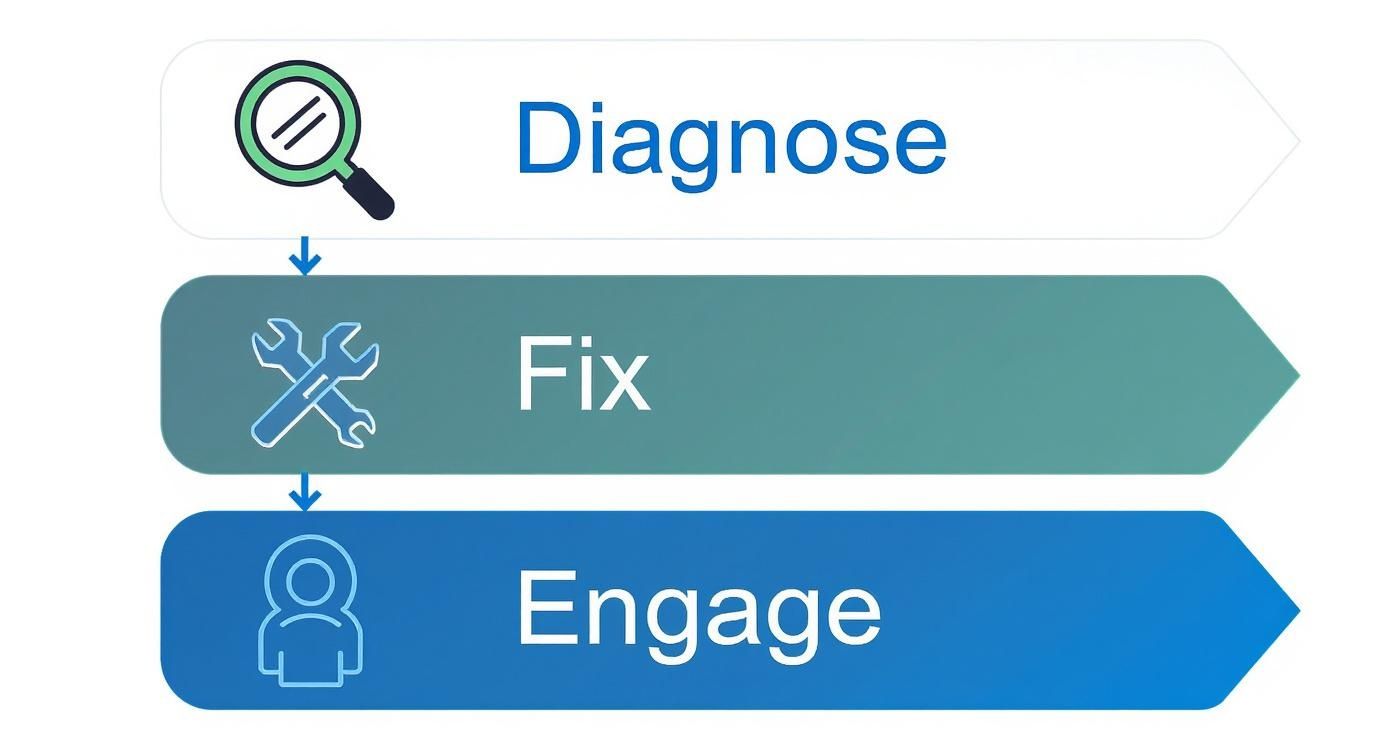
Breaking the problem down into a simple, methodical workflow—diagnose, fix, and engage—makes it far more manageable. First, you figure out what's broken, then you apply targeted fixes, and finally, you work on keeping visitors engaged so they don't want to leave.
From Metric to Actionable Strategy
The trick is to stop seeing bounce rate as just a number and start using it as a diagnostic tool. It’s not about obsessing over a perfect percentage; it’s about understanding the why behind the behaviour.
Digging into the data often reveals clear patterns. For instance, you might discover that:
- Mobile users bounce more often: This points directly to a clunky mobile design or painfully slow load times on 4G/5G connections.
- Traffic from one ad campaign bounces instantly: This screams a mismatch between your ad copy and what's actually on the landing page.
- A specific blog post has a 90% bounce rate: The content probably isn't delivering on the promise of its headline, or it fails to give the reader a clear next step.
A high bounce rate is your audience telling you something is wrong. It's a feedback loop you can’t afford to ignore. The goal isn't just to keep people on the page, but to guide them towards a valuable action.
To give you a head start, here is a quick overview of the core strategies we'll be covering in this guide.
Bounce Rate Quick Fix Checklist
| Strategy Area | Key Action | Primary Impact |
|---|---|---|
| Technical Performance | Optimise page speed and ensure mobile-friendliness. | Reduces visitor frustration and improves SEO signals. |
| Content Clarity | Align content with user intent; use clear headings. | Immediately confirms relevance for the visitor. |
| User Experience (UX) | Simplify navigation and remove intrusive pop-ups. | Makes the user journey smooth and intuitive. |
| Calls-to-Action (CTAs) | Create compelling, visible, and relevant CTAs. | Guides the user to the next logical step. |
| Internal Linking | Add contextual links to other relevant pages. | Encourages further exploration of your site. |
This checklist summarises the actionable solutions we'll explore in detail.
Throughout this guide, we'll dive deep into practical, step-by-step strategies to diagnose these issues and implement fixes that last. For a broader look at this topic, you can learn more by understanding, analysing, and improving user engagement on your website in our detailed article. We’ll help you turn that frustrating bounce rate figure into a clear roadmap for improvement, converting more of your hard-won visitors into loyal customers.
Finding the Leaks in Your Website
Before you can fix your bounce rate, you need to put on your detective hat. Just knowing your overall bounce rate is high doesn’t help much. It’s like a doctor knowing a patient has a fever but having no clue what’s causing it. The real magic happens when you dig into your analytics to figure out precisely where, how, and why visitors are bouncing.
Your goal here is to stop guessing and start making decisions backed by solid data. By slicing up your audience data and analysing their behaviour, you can find the specific leaks costing you customers and plug them properly. This turns a vague, frustrating problem into a clear, actionable to-do list.
Pinpointing Problem Pages
Let's be clear: not all pages on your website are created equal. Some will naturally have higher bounce rates, and that's okay. Think about a "Contact Us" page. Someone might land there, grab the phone number, and leave. Job done.
But a high bounce rate on a key service page, a product page, or a crucial landing page? That's a massive red flag. These are the pages meant to draw people deeper into your site, not push them away.
In Google Analytics 4 (GA4), you'll be looking at engagement rates for specific pages – a low engagement rate is the new bounce rate. Hunt for pages that are critical to your customer journey but show disappointingly low interaction.
A landing page with an 85% bounce rate isn't just underperforming; it's actively haemorrhaging potential customers you've likely paid to acquire. This is ground zero for your investigation.
Once you’ve got a list of these underperformers, it’s time to ask why. Is the content a terrible match for the ad that brought them there? Does the page take an age to load? Is the call-to-action buried at the bottom or just plain confusing?
Analysing Traffic Sources and Channels
Where your visitors come from has a huge impact on how they behave. Someone clicking a link from a friend’s email will almost always be more engaged than someone who accidentally tapped a display ad while scrolling. Figuring out which channels are sending you tyre-kickers is vital.
Segment your traffic by its source to get the full picture:
- Organic Search: A high bounce rate here often signals a mismatch between the keywords you rank for and what your page actually delivers. The user simply isn't finding the answer they expected from their search.
- Paid Social (e.g., Facebook Ads): If users from a specific ad campaign are bouncing in droves, it usually means your ad creative or copy is making a promise that the landing page doesn't keep.
- Referral Traffic: Visitors coming from other websites might leave straight away if the context of the link that sent them doesn't align with what they find when they arrive.
Imagine a local self-storage company in Manchester notices their paid social campaigns are sending mobile users to a slow, clunky landing page. The data would scream at them: a sky-high bounce rate for the Mobile Traffic from Facebook segment. This isn't just a website problem; it's a campaign-level issue that needs sorting out, fast.
Device and Browser Segmentation
It’s easy to forget, but how your website performs across different devices and browsers can reveal some serious leaks. A site that looks flawless on your desktop in Chrome might be a broken, frustrating mess on a mobile phone using Safari.
Dive into your analytics and compare the bounce rates for different device categories: desktop, mobile, and tablet. It’s pretty normal to see a higher bounce rate on mobile – people are often on the go and have less patience. However, a drastically higher mobile bounce rate, say 75% on mobile vs. 40% on desktop, points to some major usability or performance problems on smaller screens.
Don’t stop there. Check your browser-specific data, too. Sometimes, a rogue script or a bit of CSS just doesn't play nicely with one browser, creating a terrible experience for a small but important slice of your audience. These technical glitches are often surprisingly easy to fix, yet they can have a huge impact.
To get straight to the point, using site abandonment survey templates can give you direct feedback on why people are leaving. This shifts you from just interpreting data to getting real answers from users, helping you quickly confirm your suspicions about why people are bouncing from certain pages or devices.
Improving Your Site Speed and Technical Health

Nothing makes a visitor hit the "back" button faster than a page that takes an age to load. When you’re trying to cut your bounce rate, site speed isn't just a minor factor; it’s a massive one. A slow, clunky site is an instant source of frustration and sends a clear message that you don't value the user's time.
Here in the UK, we're used to fast internet, so our patience for slow websites is razor-thin. A delay of just a couple of seconds is often all it takes to turn a potential customer into a bounce statistic. Tackling your site's technical health is one of the most direct and effective ways to convince people to stick around.
The numbers don't lie. Research shows that if a page loads in 1–3 seconds, the bounce rate is around 7%. But wait just 5 seconds, and it skyrockets to 38%. It’s a stark reminder of just how critical speed is. Recent findings also reveal that only 67% of UK websites have a good Largest Contentful Paint (LCP) score, a key speed metric. That means a third of sites are almost certainly losing visitors before they’ve even had a chance to see the page. You can find more stats about UK website performance at Envisage Digital.
Start with Smart Image Optimisation
I’ve seen it time and time again: huge, high-resolution images are the number one culprit for a slow-loading page. Of course you want crisp, professional visuals, but unoptimised files can be enormous, slowing your site to a crawl and annoying visitors. It’s all about finding that balance between quality and file size.
You don't need fancy software for this. Free online tools like TinyPNG or Squoosh can shrink your JPEG and PNG files by up to 70% without any noticeable drop in quality.
Also, think about the file format itself. Modern formats like WebP offer much better compression than older ones like JPEG, meaning smaller files and faster loads. The vast majority of modern browsers support WebP, making it a safe and smart choice.
Leverage the Power of Browser Caching
Think of browser caching as an express lane for returning visitors. The first time someone lands on your site, their browser has to download everything – images, scripts, fonts, the lot. Caching simply tells their browser to store some of those files locally on their device.
So, the next time they visit, their browser can just load those files from its local memory instead of downloading them all over again. This makes the page load almost instantly for repeat visitors, creating a much slicker experience that encourages them to come back.
Caching is a simple technical tweak with a massive user experience payoff. It rewards your returning visitors with a faster journey, giving them every reason to stick around.
If you’re on a platform like WordPress, great plugins are available that can set up caching rules for you in just a few clicks. It's a classic low-effort, high-impact fix. For a deeper look at speed improvements, check out our guide on how to improve website loading speed.
Use a Content Delivery Network
A Content Delivery Network (CDN) is a must-have for any business with customers spread across different locations, even just within the UK. A CDN works by storing copies of your site's static files (like images and code) on a network of servers in various locations.
When a user from, say, Edinburgh visits your website hosted in London, the CDN delivers the content from a server physically closer to them, perhaps in Manchester. This simple change drastically cuts the distance the data has to travel, which means a much faster load time.
Here’s why a CDN is a game-changer:
- Faster Load Times: Serving files from a nearby server slashes latency.
- Reduced Server Load: It takes the pressure off your main hosting server, preventing slowdowns during busy periods.
- Improved Reliability: If one server in the network has an issue, another one simply takes over, keeping your site online.
Understand Core Web Vitals
Google uses a set of metrics called Core Web Vitals to measure the real-world user experience of a website. Getting your head around these can help you identify the exact technical problems causing people to leave.
For bounce rate, the most important one is Largest Contentful Paint (LCP). This simply measures how long it takes for the biggest piece of content on your page—usually an image or a large block of text—to appear. A slow LCP is a clear signal to a visitor that your page is struggling, and many won't hang around to see it finish loading.
You can check your site’s Core Web Vitals for free using Google's PageSpeed Insights tool. It gives you a detailed report and clear, actionable steps to improve your scores and get your site's technical health back on track.
Creating a Flawless Mobile Experience
Let’s be honest: a clunky mobile website is a surefire way to send your bounce rate through the roof. With so many UK customers now browsing and buying on their phones, a site that just "works" on mobile isn't good enough anymore. You need to craft an experience that feels completely natural on a smaller screen.

It’s time to move beyond simply ticking the "responsive design" box. We need to think about building a truly seamless mobile journey. Small points of friction that feel minor on a desktop can become absolute deal-breakers on a phone, sending potential customers straight back to Google.
The data backs this up. Mobile bounce rates often sit 10–20% higher than on desktop. Here in the UK, mobile users typically bounce around 50% of the time, compared to just 39% on desktop. This gap is usually down to slower mobile internet and frustrating user experiences. Businesses that get this right see a real difference; one UK travel agency dropped its mobile bounce rate from 52% to 41% within six months of redesigning its site with a mobile-first approach. You can find more on this in the latest UK website analytics insights from the Norfolk Chamber.
Simplify for Thumb-Friendly Navigation
Think about the basic mechanics: on a desktop, you have a mouse for precision. On mobile, you have a thumb. This one difference should guide your entire mobile design philosophy. Overly complex menus with tiny, fiddly links are a fast-track to frustration and a quick exit.
Your mobile navigation needs to be stripped back to the absolute essentials. Use a clear, recognisable "hamburger" menu icon for your main links, and make sure the menu items are large enough to be tapped easily without hitting the wrong one by mistake.
Here’s how to put that into practice:
- Prioritise key actions: What are the top three things a mobile user needs to do? For a self-storage business, it’s probably "Get a Quote," "Find a Location," and "Unit Sizes." Put those front and centre.
- Use sticky navigation: Keep your main menu or a key call-to-action (like a "Book Now" button) fixed to the top or bottom of the screen. This saves users the hassle of having to scroll all the way back up to take the next step.
- Test your tap targets: Check that all your buttons and links have enough space around them to be tapped comfortably. A button that’s too small or too close to another link is a classic reason for a mobile bounce.
Ensure Text Is Readable Without Zooming
If a visitor has to pinch and zoom just to read your content, you’ve already lost them. Your text must be perfectly legible the moment the page loads. It’s a fundamental sign of respect for your visitor's time and effort.
A font size of at least 16px is a solid starting point for body text on mobile. Also, pay attention to your line height—the vertical space between lines of text. A little extra breathing room makes longer paragraphs far less intimidating on a narrow screen.
Think of your mobile site as a conversation. If the text is too small, it's like you're mumbling. Your visitor won't strain to hear what you're saying; they'll just walk away.
Breaking up your content is just as important. Use short paragraphs, bullet points, and bold text to make everything scannable. Nobody wants to be confronted by a huge wall of text on their phone.
Make Calls-to-Action Impossible to Miss
On a smaller screen, your call-to-action (CTA) buttons need to be big, bold, and obvious. They should stand out from everything else on the page and practically scream "tap me!" Use a high-contrast colour that grabs attention and make the button itself large enough to be easily tapped with a thumb.
I once worked with a self-storage company whose mobile bounce rate on their quote page was a disaster. The reason was simple: the quote form was long, and the "Get My Quote" button was a tiny grey box hiding at the very bottom.
We made two straightforward changes:
- We broke the long form into two simple, manageable steps.
- We made the "Next Step" and "Get Quote" buttons large, bright green, and sticky at the bottom of the screen.
The result? The bounce rate on that page dropped by 22% in a month. It’s a perfect example of how small, mobile-focused tweaks can deliver a massive improvement and help you reduce your bounce rate for good.
Crafting Content That Captivates Visitors
https://www.youtube.com/embed/8pMUkEbAM7g
All the technical fixes in the world won’t save you if your content misses the mark. At the end of the day, people stay on a website because they find what they need, and it’s presented in a way that’s actually engaging and easy to read. Great content isn't just about the words on the page; it's about how you frame them and guide the visitor's journey from the moment they land.
Think of your content as the heart of the user experience. If it doesn’t connect with your visitor, solve their problem, or point them in the right direction, they’re gone. Let’s get into how to use smart content and UX design to convince people to stick around.
Align Headlines with User Intent
The very first thing a visitor sees is your page title and headline. If there's a disconnect between what they searched for and what your headline promises, you’ve given them an instant reason to leave. The trick is to match their intent with absolute precision.
For instance, if someone in London searches for "secure overnight business storage," a generic headline like "Our Storage Solutions" just doesn't cut it. It’s far too vague. A much better headline would be "Secure Overnight Storage for Businesses in London." That immediately tells the user they've landed in the right place, slashing the odds of an instant bounce.
A powerful way to nail this is by structuring your content to give direct, clear answers to common questions. Not only is this great for your visitors, but it also helps you optimize content for featured snippets and chase that coveted 'Position Zero' spot in Google.
Make Your Content Scannable
Let's be honest: nobody reads every single word on a webpage, especially not on their first visit. People scan. They're looking for headings, keywords, and bullet points to quickly figure out if the page has what they're looking for. If you hit them with a solid wall of text, you’re making that impossible.
You need to break up your content so it’s easy to digest. Here’s how:
- Use Clear Subheadings: Organise your content with descriptive H2 and H3 tags. This creates a logical flow and lets people jump straight to the section they care about.
- Keep Paragraphs Short: Aim for no more than three sentences per paragraph. This creates much-needed white space and makes the text feel less overwhelming.
- Use Lists: Bullet points and numbered lists are perfect for breaking down information into scannable, easy-to-grasp points.
Your content's structure is just as important as the words themselves. A well-organised page respects the visitor's time and guides them effortlessly toward the information they seek, which is a cornerstone of any effective content marketing strategy.
Personalisation makes a huge difference here. A study by Contentsquare found that UK websites using personalised content and interactive elements saw a 25% reduction in bounce rates compared to sites with generic content. What's more, UK users tend to spend 40% more time on pages with a personalised touch. It's clear that investing in an engaging layout and tailored content really does pay off.
Use Visuals to Break Up Text
High-quality images, infographics, and videos do more than just make a page look pretty. They break up long sections of text, explain complex ideas, and keep your visitors engaged. A well-placed image can even reset a reader's attention span, giving them the little boost they need to keep scrolling.
If you’re running an e-commerce site selling furniture, you absolutely need high-resolution product photos from every angle. If you're a local service business, a short video testimonial can build trust far more effectively than a block of text ever could. Visuals simply make your content more engaging and memorable.
Guide Visitors with Strategic Internal Linking
One of the most effective ways to lower your bounce rate is to give visitors a clear and compelling next step. Someone might finish reading a great blog post, but if it’s a dead end, they have no reason to stay. This is where strategic internal linking comes in, turning a potential bounce into a deeper visit.
Don't just scatter links randomly. Think about the user's journey. After reading about "how to pack fragile items," a self-storage visitor would probably be interested in learning about "choosing the right size storage unit." It's a logical next step.
And please, make your link text descriptive. Ditch generic phrases like "click here." Use anchor text that tells the user exactly what they'll find, like "discover our range of packing supplies." For anyone looking to understand the bigger picture, learning why content marketing is so important provides a solid foundation for building these user journeys. This approach not only keeps users on your site longer but also helps search engines understand your site's structure and what your pages are all about.
Common Questions About Reducing Bounce Rate

Even with a solid plan, a few questions always seem to come up when you start digging into bounce rate. It's a notoriously slippery metric, and the recent industry-wide shift to Google Analytics 4 has only added to the confusion.
Let's clear the air and tackle some of the most common sticking points I see with UK businesses. Think of this as a quick FAQ to make sure you're heading in the right direction.
What Is a Good Bounce Rate Today?
Honestly, there’s no single magic number. What's considered "good" is completely dependent on your industry and, more importantly, the page's purpose.
An e-commerce product page, for instance, should probably aim for a bounce rate under 45%. The whole point is to get people to browse and add items to their cart. On the other hand, a blog post or a simple "Contact Us" page could see rates as high as 90%, and that’s perfectly fine. Someone might land, get the phone number they need, and leave – a successful visit!
The key is context. A high bounce rate is only a red flag when it’s on a page that’s supposed to lead to another action, like a landing page or a core service page.
Is a 0% Bounce Rate Possible?
Technically, yes, but it’s almost always a symptom of a bigger problem. A 0% bounce rate is a massive clue that your analytics tracking has gone wrong somewhere.
I've seen this happen for a couple of common reasons:
- Duplicate Analytics Code: If the tracking script is installed twice on your site, it fires two pageviews for every single visit. This makes GA think every user immediately navigated to a second page.
- Misfiring Events: Sometimes an event is set up to fire the moment a page loads. This counts as an interaction, instantly marking every single-page session as "engaged" and destroying your bounce rate data.
If you spot a bounce rate that looks too good to be true, it is. Your first job is to do a full audit of your GA setup to get your data back on track.
Should I Focus on Bounce Rate or Engagement Rate?
With Google Analytics 4 now the standard, the conversation has rightly shifted from bounce rate to engagement rate. This metric measures the percentage of sessions where a user actually did something – they stayed for more than 10 seconds, triggered a conversion, or viewed at least two pages.
Bounce rate is just the inverse of engagement rate. While it can still be a handy way to spot problem pages at a glance, focusing on increasing engagement is a much more positive and insightful goal than just decreasing bounces. It frames the challenge around what you want users to do, not what you want them to avoid.
Which Pages Should I Prioritise Fixing?
Always start with the pages that offer the highest value to your business and have a high bounce rate. Don't get bogged down optimising a blog post from five years ago that gets a trickle of traffic. Focus your energy where you'll see the biggest return.
Here’s how I’d prioritise the hit list:
- Key Landing Pages from your paid advertising campaigns.
- Top Service or Product Pages that are your main money-makers.
- Your Homepage, especially if its bounce rate is alarmingly high.
- High-Traffic Blog Posts that serve as a major gateway for new visitors.
By tackling these high-impact pages first, you ensure your time and effort directly translate into achieving your business goals.
Ready to turn those bounces into bookings and sales? The team at Amax Marketing specialises in creating data-driven strategies that captivate your audience and drive real growth. Let us help you diagnose the issues, implement effective fixes, and build a website that works as hard as you do. Start with a complimentary marketing audit today.